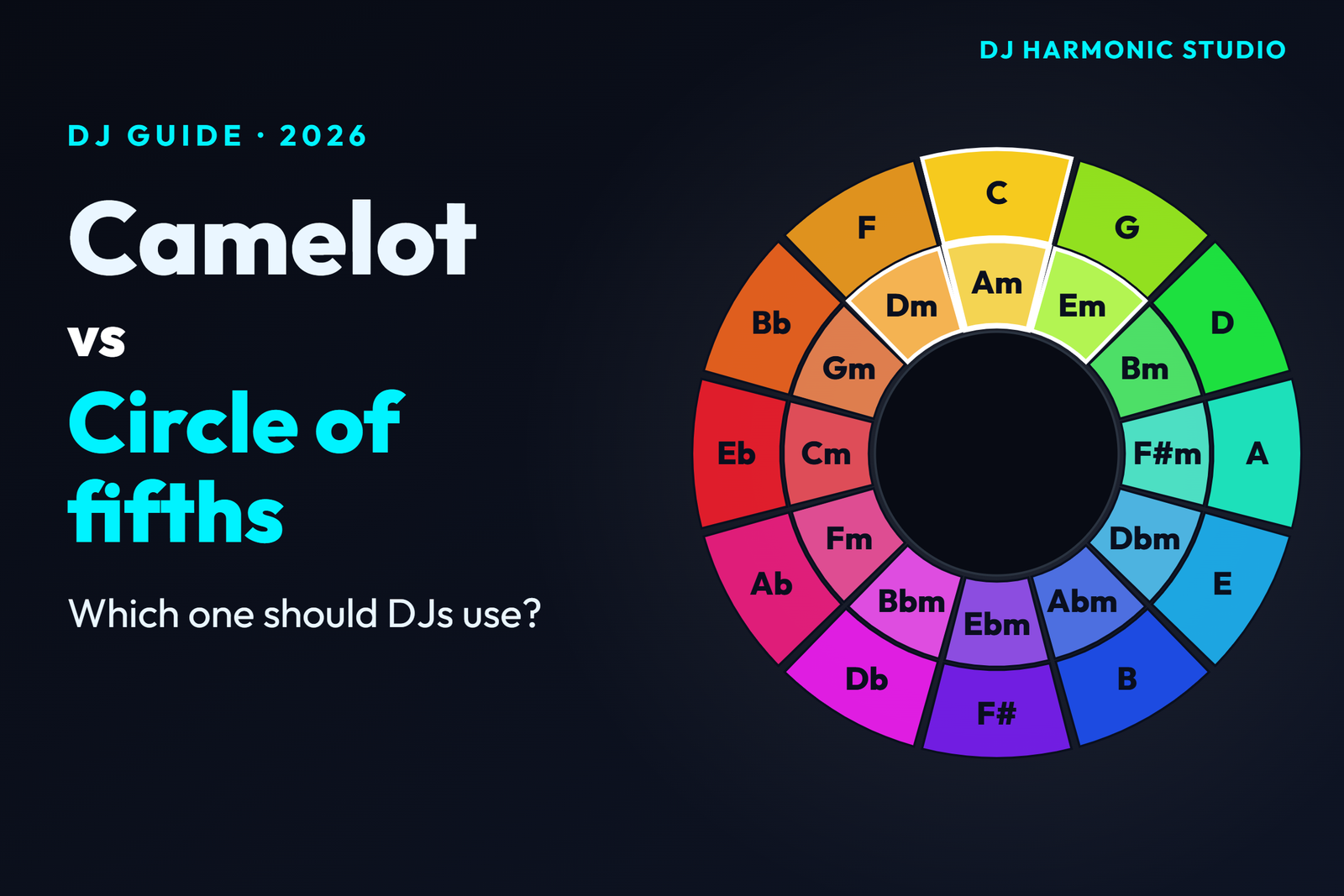
Camelot Wheel vs Circle of Fifths: Which One Should DJs Use?
They describe the same map of keys, but one gives you a label and the other gives you judgment. What the difference is, and which one to learn if you want to mix better.
By Ariel Contreras · November 2026 · 7 min read

A question keeps coming up among DJs: are the Camelot wheel and the circle of fifths different things, and which one should you use? The short answer: they are the same map, but what you gain from reading it changes.
Either way, you need the key of every track. DJ Harmonic Studio writes it for you in the title, in notes or in Camelot, for your whole library in one click.
Quick answer
The Camelot wheel and the circle of fifths represent the same thing: the 24 keys arranged by fifths. Camelot numbers them (8A, 8B) and the circle names them (Am, C). For quick decisions on the deck, the code is enough; to understand why a mix works and carry it into production, the circle of fifths read in notes is the better choice.
They are the same map with two labels
Both arrange the 12 notes a fifth apart, with the outer ring for major keys and the inner ring for their relative minors. The only difference is how each cell is labeled:
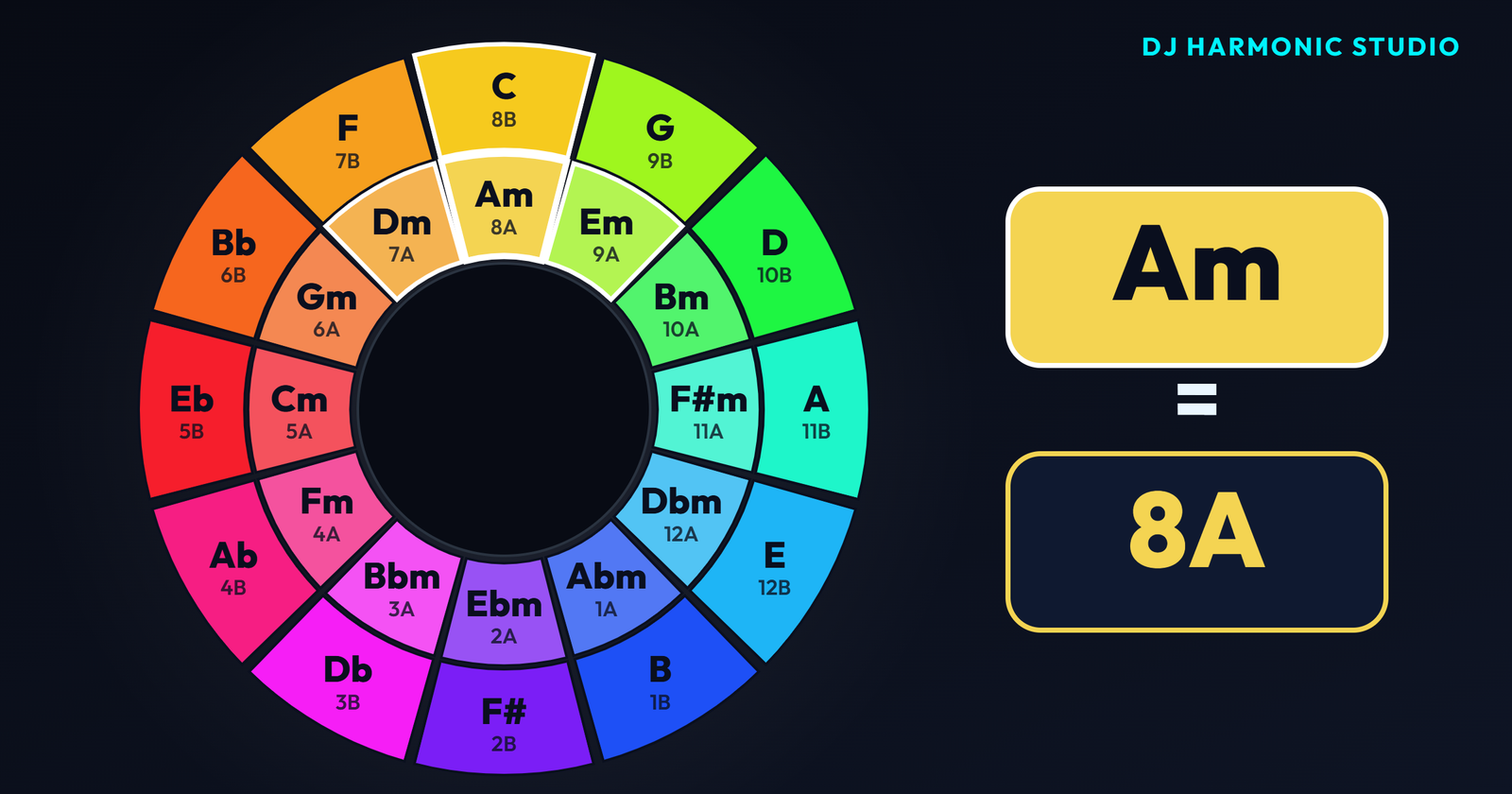
- Camelot wheel: each cell carries a number from 1 to 12 and a letter (A for minor, B for major). Am is 8A and C is 8B.
- Circle of fifths: each cell carries the name of the key. Am is A minor and C is C major.
That is why mixing with Camelot (same number, one step sideways, letter swap) and mixing with the circle (same key, a fifth up or down, relative) are exactly the same moves.
What is the Camelot wheel and what is it for?
It is a code system created by Mark Davis of Camelot Sound and popularized by Mixed in Key. It can be shown in programs like Rekordbox or VirtualDJ, and Traktor uses a variant called Open Key. It helps you decide fast: if what is playing is 8A, the candidates are 7A, 9A and 8B.
Its big advantage is reading speed: a number and a letter read at a glance, with no music theory needed.
Where a code stops
The problem is what a code does not tell you:
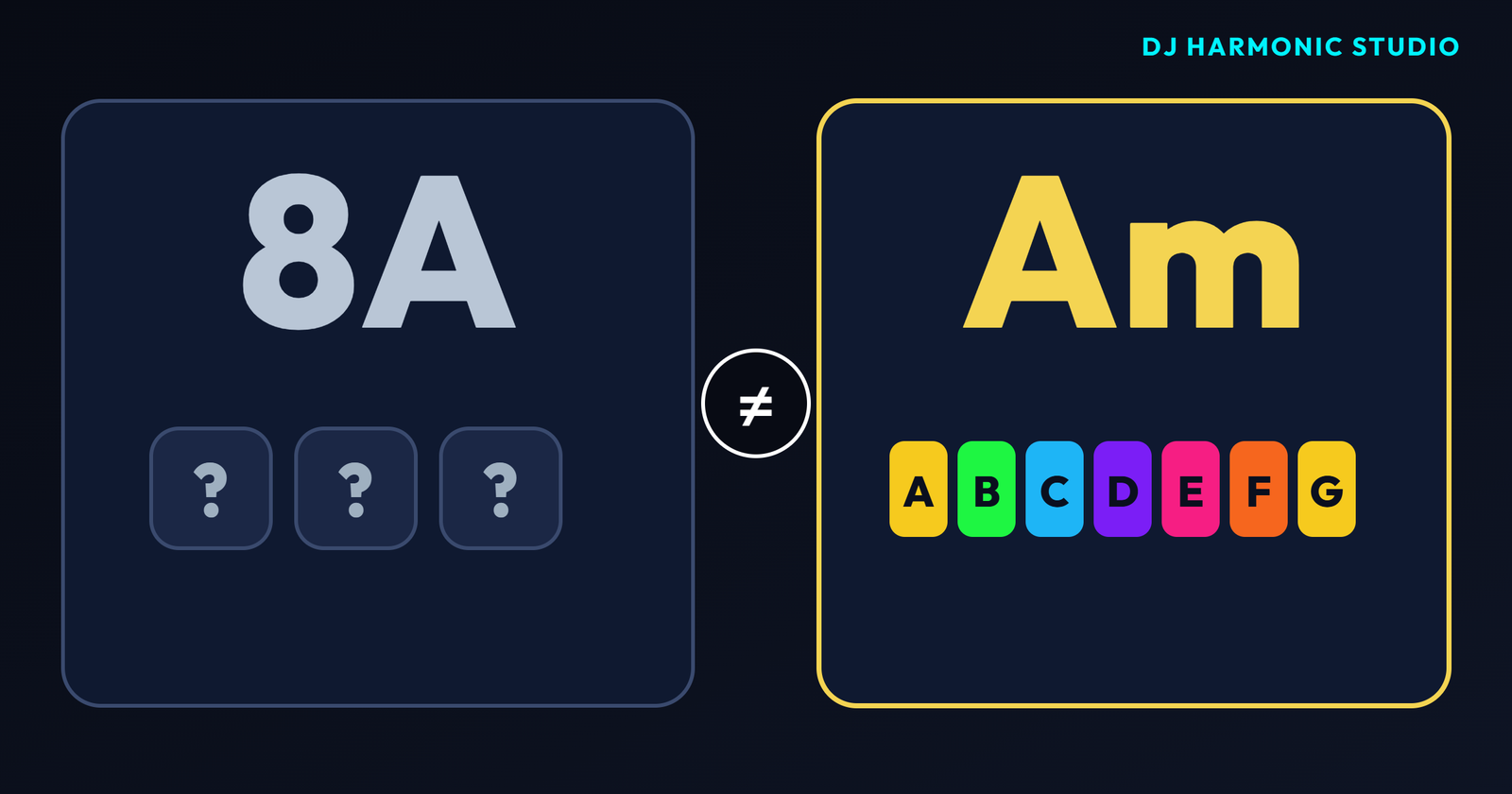
- Which notes the track has, or which ones it shares with the next one.
- Why two keys work together, or when they will rub.
- How to take it to a keyboard, a DAW or a conversation with another musician.
- What to do when the move is not enough: a bassline a semitone apart, or a melody that insists on a note that changes.
There is also more than one numbering of the same circle (Camelot, Open Key and others). If you switch programs, 8A in one can be a different number in the other. Notes, on the other hand, are the same everywhere. That is the whole Camelot wheel vs Open Key story: same circle, different numbers.
What the circle of fifths gives you in notes
Read in notes, the circle gives you what the code hides: you see right away what is going on.

- Neighbors share almost all notes: two adjacent keys share six of their seven notes.
- You know what changes: from Am to Em only one note changes, F becomes F#.
- You see the risk: if the outgoing track’s melody insists on F, the incoming track in Em will rub.
- It works outside the booth: chords, cadences, basslines and progressions in production are the same circle.
With notes, mixing stops being obeying a label and becomes an informed decision.
The same case, two readings
Imagine a track in Am is playing and you want to move to one in Em. Here is how each system sees it:
With codes
You know it is compatible. You do not know what changes or where it can rub.
With notes
You know exactly one note changes (F becomes F#). If the lead insists on F, you know where to listen.
Comparison: Camelot wheel vs circle of fifths
| Criteria | Camelot wheel | Circle of fifths (notes) |
|---|---|---|
| First reading | Very fast: a number and a letter | You need to learn the notes of the circle |
| What it tells you | Whether two keys are neighbors | Which notes they share and what changes |
| Explains why it works | No | Yes |
| Useful beyond DJing (keyboard, DAW) | No | Yes |
| Across programs | Several numberings (Camelot, Open Key) | The same notes everywhere |
| Learning curve | Almost none | A little at first, then it becomes automatic |
Camelot wins the first minute; the circle wins the more you use it.
Which one should you use?
Our recommendation
Learn the circle of fifths in notes and use Camelot codes as a shortcut in the meantime. Codes tell you what to do; notes tell you why, and that is what lets you decide when the label is not enough.
That is also why DJ Harmonic Studio writes the key at the start of the title in notes (Am, C, F#m) and lets you choose Camelot if you prefer. Try it with 50 free tracks.
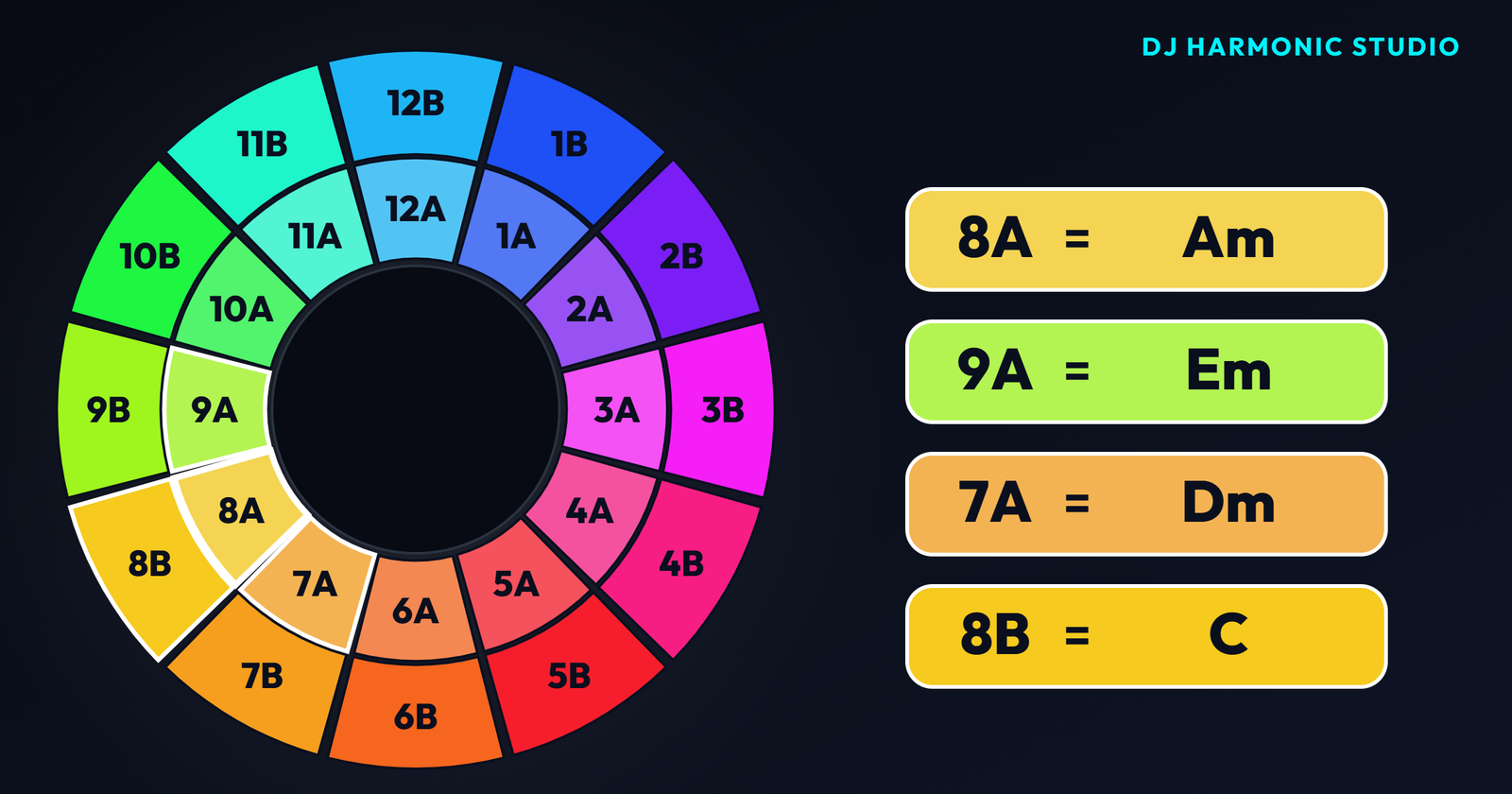
Camelot wheel with notes: conversion chart
If you come from codes, this camelot wheel chart works as a bridge. Minor keys carry the letter A and major keys the letter B.
Some programs write C#m instead of Dbm or G#m instead of Abm: it is the same note.
How to move from codes to notes without losing speed
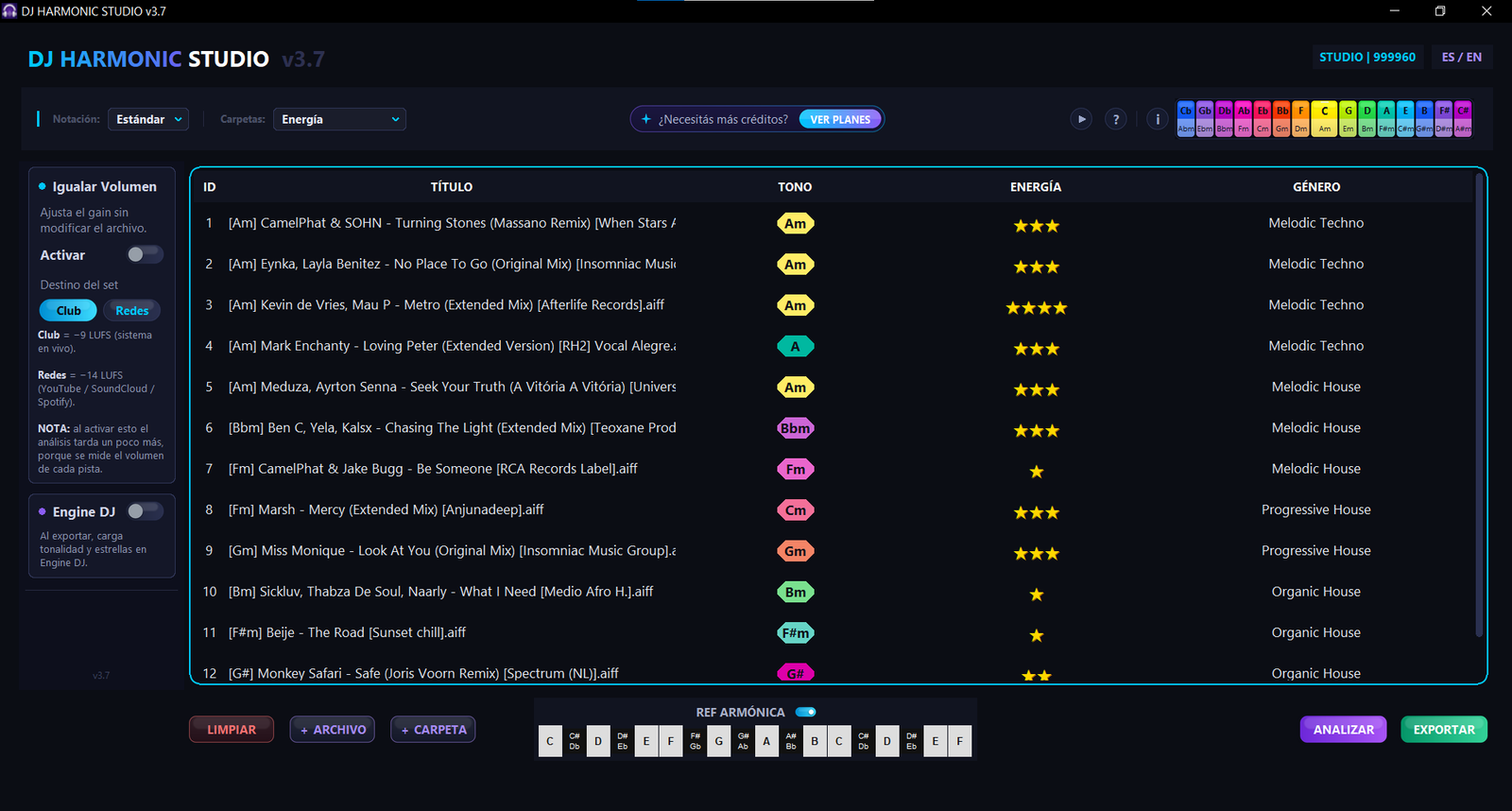
- Write the key in notes in every track title. With DJ Harmonic Studio it is automatic:
[Am] Artist - Track. - Keep the conversion chart handy for the first few sessions, as a bridge.
- Practice with the three neighbors of a key: a fifth up, a fifth down and the relative. With Am they are Em, Dm and C.
- When in doubt, listen. The analysis can be wrong and your ears have the final say.
Common mistakes
- Treating the code as a rule. It is a map: compatible does not mean it sounds good.
- Repeating the same move in every change. Energy stalls and the set gets predictable.
- Ignoring the basslines. Two neighboring keys can clash if the basses end up a semitone apart.
- Mixing numberings. Do not confuse Camelot with Open Key when reading codes from another program.
Frequently asked questions
Yes. They arrange the same 24 keys by fifths. The Camelot wheel labels them with codes (for example, 8A) and the circle of fifths with notes (for example, Am).
The circle of fifths read in notes: it shows which notes two tracks share, explains why a mix works and also applies on the keyboard and in production. Camelot codes work as a shortcut while you get used to it.
It is a code system for the 24 keys, created by Mark Davis of Camelot Sound and popularized by Mixed in Key. Each key gets a number from 1 to 12 and a letter: A for minor and B for major.
With a conversion chart: letter A means minor and B means major. For example, 8A is Am, 9A is Em, 7A is Dm and 8B is C. The full chart is earlier in this article.
It is another numbering of the same circle of fifths, used by Traktor. The numbers and letters differ from Camelot, but the logic is the same.
Rekordbox lets you pick how the key is displayed in its preferences (classic notes or alphanumeric codes). The simplest alternative is to write the key in notes in the track title, which DJ Harmonic Studio does automatically.
You choose: standard notation (Am, C, F#m) or Camelot. It also renames the track with the key at the start of the title, so you see it on the deck in Rekordbox, Serato, Traktor, VirtualDJ and Engine DJ. It has 50 free tracks to try.
Yes. DJ Harmonic Studio analyzes key, energy and genre, renames your tracks and sorts them into folders. In Ariel’s own test with almost 700 tracks checked by ear it reached 85% accuracy, the same as Mixed in Key.
Try it with your library
Analyze your first 50 tracks for free
Get the key written in the title and your music in folders by energy and genre, ready for Rekordbox, Serato, Traktor, VirtualDJ or Engine DJ.
Instant download · No credit card · Windows, Mac and Linux · Optimized for electronic music
About me
Ariel Contreras
I studied a Bachelor’s in Music with a focus on Composition and a Technical Degree in Arrangement, and I have played piano and synthesizer since 2007. I have always been a composer, in other musical styles; in 2018 I ventured into electronic music, blending it with other genres, and since 2022 I have focused fully on electronic music production: my latest EP reached #27 in Melodic House on Beatport. I have been a DJ since early 2024. Between 2025 and 2026 I helped more than 235 people understand harmony for their mixes and productions.
I created DJ Harmonic Studio, which more than 1,400 DJs have used. Try it free with your library: it is available for Windows, Mac and Linux and optimized mainly for electronic music.